Section Pages
Deprecation Notice
Vue-based themes will soon be deprecated. Please switch to React-based themes, as all future updates and support will focus exclusively on React.
What are section pages?
Section pages are pages where you can add, edit, or remove sections. If you wish to create a custom template consisting of sections, you can create section pages. To create section pages, you can use the Theme Editor in the Platform Panel.
Creating section pages step by steps
- Go to the Theme Editor in the Fynd platform.
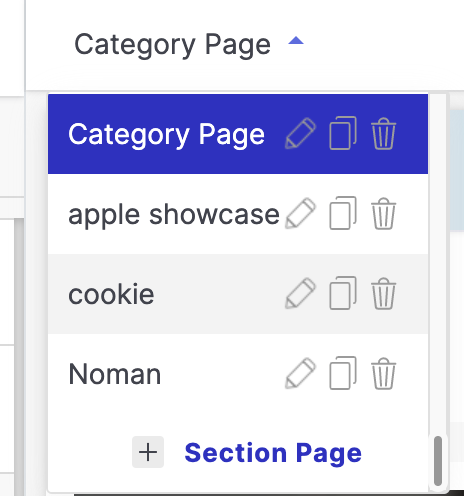
- Click on the Pages dropdown menu on the top right corner.
- Scroll down and click on the Add Section Page option.
- Enter a name for your section page.
- Select a Layout for your section page.
- Add Sections to your section page.
- Save your changes.
- Go to the Theme Editor in the Fynd platform.
- Click on the Pages dropdown menu on the top right corner.
- Scroll down and click on the Add Section Page option.
- Enter a name for your section page.
- Select a Layout for your section page.
- Add Sections to your section page.
- Configure whether to show the header and footer from the advanced - options in the pop.
- Click Save to create your section page.
- Once a section page is created you can add sections to that page.
- To view this page on your website you can navigate to domain/section/:section-page-slug.